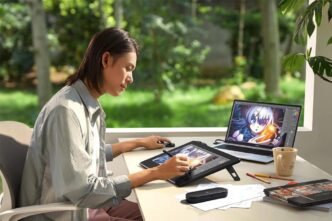

In this day and age of the digital art renaissance, it’s never been more critical to choose the perfect drawing tablet for your needs in 2026. Whether you’re a professional illustrator, concept artist or just someone who loves to draw, the right device can make all the difference in your workflow, design, and productivity like never before. This buying guide will cover what key points every artist should keep in mind when shopping for a new tablet — and why artists are setting new benchmarks in high-end digital creation with premium offerings like the XPPen Artist Ultra 16.
1. Display Quality: The Foundation of Digital Art
The display of a drawing tablet is the place your ideas take shape, so you’ll want to weigh screen quality highly. In 2026, artists are going to want things from their drawing tablets display.
- High resolution for crisp lines and fine details
- Accurate color reproduction for professional-level work
- Wide viewing angles for consistent visuals
Modern artists are moving toward 4K displays, especially for illustration, photo editing, and animation. A high-resolution screen allows you to zoom less and see your work clearly at all times, which reduces eye strain and improves precision.
The XPPen Artist Ultra 16 exemplifies this trend with a 15.6-inch AMOLED display and a stunning 3840 × 2160 (4K) resolution, delivering exceptional sharpness and contrast. Its deep blacks and vibrant colors make it ideal for artists who demand visual accuracy.
2. Color Accuracy and Gamut Coverage
Color is really important. Especially when you are making things for print, branding or professional publishing. In 2026, artists should look for tablets that support multiple color spaces:
- sRGB for web and digital content
- Adobe RGB for print workflows
- Display P3 for modern media and video
The broader the color gamut, the more faithfully your artwork appears across devices. Advanced tablets now offer near-complete coverage of these color spaces.
The Artist Ultra 16 supports 99% Adobe RGB, 99% sRGB, and 98% Display P3, along with 1.07 billion native colors, ensuring smooth gradients and highly accurate tones. For artists who rely on color precision, this level of performance is a major advantage.
3. Pen Technology: Precision, Pressure, and Feel
A drawing tablet is only as good as its pen. The stylus determines how natural and responsive your drawing experience feels when you use the drawing tablet. Key things to think about with the pen include:
- Pressure sensitivity (16,384 levels is now the professional standard)
- Low initial activation force for delicate strokes
- Tilt support for shading and brush dynamics
- High tracking accuracy
XPPen drawing tablet models are well known for their pen technology, and the Artist Ultra 16 takes this further with the X3 Pro Smart Chip Stylus and X3 Pro Slim Stylus. Featuring 16,384 pressure levels and a low 3g initial activation force, these pens deliver smooth, lag-free performance that closely mimics traditional drawing tools.
4. Screen Surface and Touch Functionality
In addition to resolution and color, the surface of the screen greatly affects comfort and control. In 2026, many artists prefer:
- Anti-glare glass to reduce reflections
- Fingerprint resistance to keep the screen crystal clear
- Full lamination to eliminate parallax
Touch functionality is also becoming more popular, allowing artists to zoom, rotate, and navigate their canvas intuitively.
The Artist Ultra 16 features a fully laminated screen, anti-glare glass, and anti-fingerprint coating, along with 10-point touch support. This combination creates a natural, paper-like drawing feel while improving efficiency during complex projects.
5. Size, Weight, and Work Area
Choosing the right tablet size depends on your working style and available space. Larger tablets provide more freedom for arm movement, while compact models are easier to transport.
With a 15.6-inch display and a generous 344.2 × 193.6 mm work area, the XPPen Artist Ultra 16 strikes a strong balance between comfort and portability. At 1.53 kg, it remains manageable for studio setups while offering enough space for detailed, professional work.
6. Connectivity and Compatibility
In a multi-device world, compatibility is essential. A modern drawing tablet should work seamlessly across operating systems and connect easily with minimal cable clutter.
In 2026, artists should look for:
- Full-featured USB-C ports
- Support for Windows, macOS, Android, and Linux
- Stable power input for long sessions
The Artist Ultra 16 includes dual full-featured USB-C ports and supports Windows, macOS, Android, ChromeOS, Linux, and Windows ARM, making it an excellent choice for artists who work across multiple platforms.
7. Why the XPPen Artist Ultra 16 Stands Out in 2026
When evaluating the best drawing tablets of 2026, it’s clear that premium devices are focusing on immersive displays, advanced pen technology, and versatile workflows. The XPPen Artist Ultra 16 represents this evolution perfectly.
Key strengths include:
- AMOLED 4K display with exceptional contrast
- Industry-leading color accuracy
- Advanced X3 Pro stylus technology
- Touchscreen functionality for intuitive control
- Broad system compatibility for flexible use
For artists seeking a professional-grade XPPen drawing tablet, the Artist Ultra 16 delivers a future-ready experience that supports both creative growth and demanding workflows.
Final Thoughts
When you want to pick the drawing tablet in 2026 you need to know about the display quality, color accuracy and how the pen works. You also need to think about compatibility. All these things need to work together so you can make good art. A lot of tablets are okay. Only a few drawing tablets really make creating art a great experience. The best drawing tablet will help you with your art.
If you are looking for a high-end device that combines cutting-edge technology with refined design, the XPPen Artist Ultra 16 stands out as a powerful option for serious artists who want precision, immersion, and reliability—all in one advanced drawing tablet.