Security cameras can still be effective without a connection to the internet. Going offline doesn’t mean losing surveillance capabilities but rather adapting to different methods to ensure security. Owners of remote properties or those with concerns about data privacy often prefer these setups. The offline operation of security cameras involves leveraging direct connections and alternative technologies to keep recording and storing footage, emphasizes Exeter Management Company. This approach not only maintains protection but also offers a unique set of privacy advantages. If you need surveillance without exposing your data to the wilds of the internet, understanding these methods can offer peace of mind and functionality without compromise.
Core Ways Offline Security Cameras Operate
Built‑In Local Storage Recording
Security cameras often come equipped with built-in local storage options like SD cards. This feature allows cameras to record footage directly and store it locally, making it a practical foundation for a security camera without wifi deployment. When the camera detects motion or events worth recording, it automatically saves the video onto its SD card. This method is straightforward, offering ease of setup with minimal components required. However, there is a limit to how much footage can be stored, dependent on the capacity of the SD card in use. Once full, the oldest footage usually gets overwritten unless the card is replaced or footage is manually downloaded. This makes it essential to routinely check storage levels and manage recordings to ensure continuous surveillance coverage.
DVR/NVR Systems With Direct Camera Links
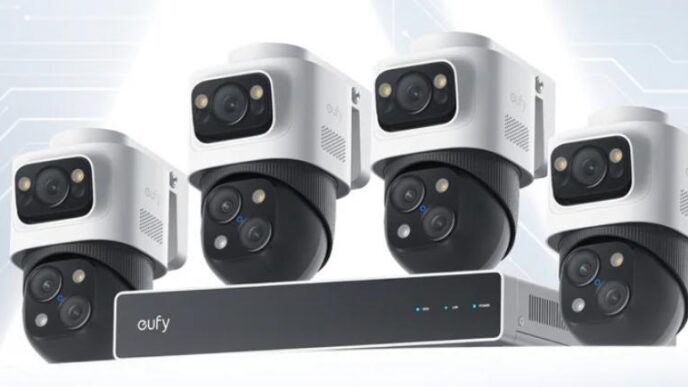
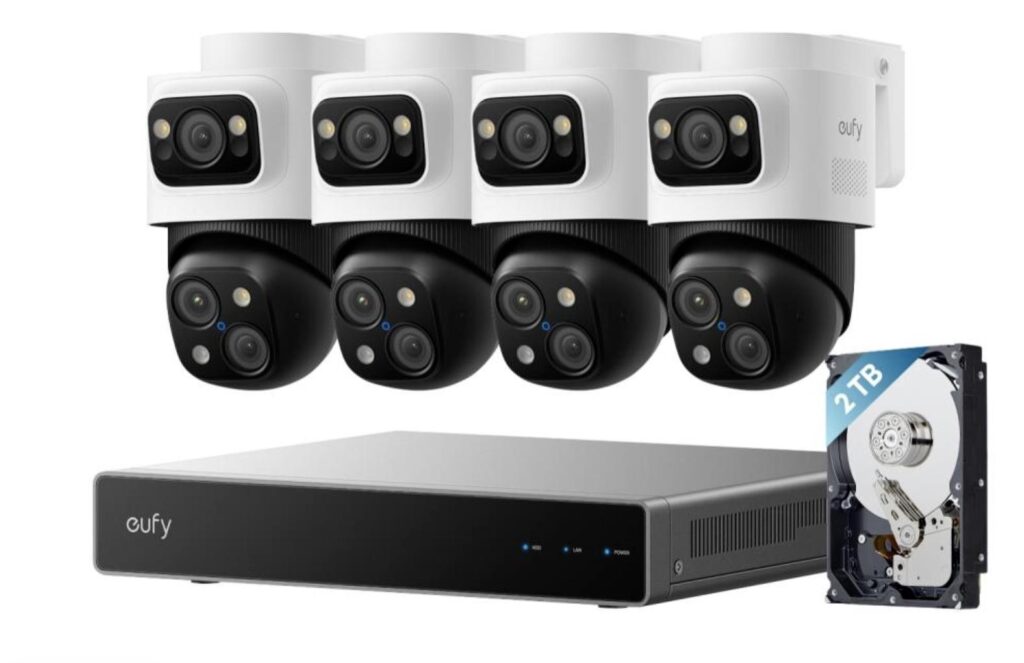
Digital Video Recorders (DVRs) and Network Video Recorders (NVRs) provide another robust offline security solution. In these systems, cameras connect directly to the recording device via cables or local network connections. DVR systems are typically used with analog cameras, while NVRs support IP cameras. These systems not only record continuously but also offer options to schedule recordings or trigger them via motion detection. The centralized nature of NVRs and DVRs also simplifies managing multiple cameras, with footage easily accessible on the connected storage device. As these systems don’t rely on the internet, footage remains secure within the local premises, effectively reducing vulnerabilities associated with data breaches.
Alternative Technologies That Work Without Wi‑Fi or Internet
Cellular Security Cameras
Cellular security cameras provide surveillance without the need for Wi-Fi by utilizing SIM cards to connect to cellular networks. They’re particularly advantageous in areas where wired internet or Wi-Fi connectivity is unavailable or unreliable. These cameras operate by transmitting data over mobile networks, allowing remote access to footage via cellular data. Despite their independence from traditional connections, these cameras do come with considerations, specifically ongoing data plan costs that can add to operational expenses. Still, for those prioritizing flexibility in remote locations, cellular cameras offer a dependable solution, ensuring continuous surveillance while circumventing the limitations of wired networks.
Hybrid Offline Systems
Hybrid offline security systems blend traditional local storage with modern access technologies, offering the best of both worlds. These setups typically include local recording capabilities alongside occasional internet or network connectivity options, providing flexibility. A common configuration involves cameras with local storage, like SD cards, coupled with periodic data uploads via temporary internet access or removable storage devices. This method brings the advantage of maintaining constant local recording while ensuring crucial footage can be backed up or accessed remotely when needed. Such hybrid systems provide excellent adaptability, catering to both privacy-conscious users and those who may occasionally require remote access.
What You Lose and Gain Without Internet
No Remote Live View or Cloud Alerts
Operating security cameras without internet access means certain features, such as remote live viewing and instant cloud alerts, are not available. Without online connectivity, it’s impossible to monitor real-time footage from afar or receive immediate notifications about detected incidents. This limitation can be a trade-off for individuals or businesses prioritizing immediate response capabilities. However, understanding these trade-offs is crucial. Users must rely on scheduled footage reviews or local alerts, which, while less immediate, can still provide timely information about security events. For some, this compromise is worth the enhanced privacy and security provided by non-internet-based systems.
Continuous Local Recording and Privacy Benefits
One of the key advantages of offline security systems is the emphasis on continuous local recording. Cameras remain operational around the clock, with footage stored securely within the system rather than being transmitted over the internet. This local focus enhances privacy, as data remains within your control, mitigating risks associated with cloud storage breaches. Moreover, without the need for internet connectivity, these systems hinder potential cyberattacks targeting surveillance networks. By opting for offline systems, users prioritize the confidentiality and integrity of their security footage, establishing a controlled environment where data privacy is the foremost concern.
Practical Setup and Viewing Methods Without the Internet
Local Playback on Monitor or Mobile
For non-Internet security systems, viewing footage involves local playback solutions. Direct connections to monitors or mobile devices through wired links allow users to access live or recorded videos. With DVR or NVR systems, footage can be reviewed by connecting the recorder directly to a TV or monitor, offering straightforward access to camera feeds. For cameras with SD cards, data retrieval can be as simple as transferring files to a computer or viewing through dedicated apps supporting offline access. This method ensures that, although remote capabilities are absent, users can still effectively monitor footage and manage data without internet dependency.
Power and Network Planning for Offline Systems
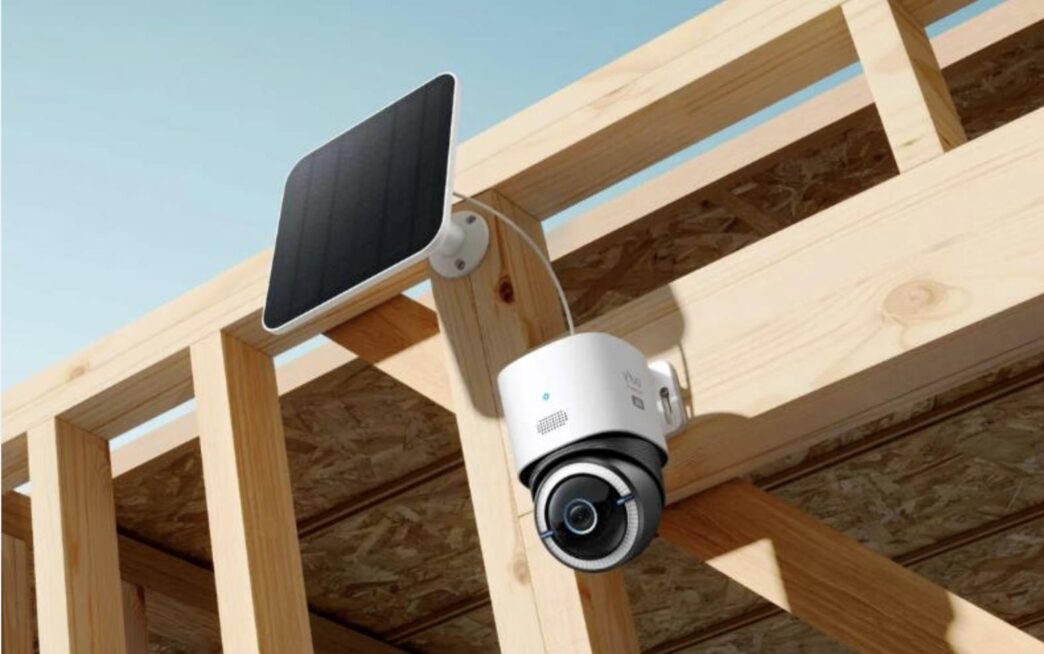
Setting up an offline camera system successfully necessitates careful planning regarding power and network infrastructure. Users need to ensure reliable power sources to prevent interruptions in recording. This might involve installing backup power solutions, like Uninterruptible Power Supplies (UPS), to keep systems running during outages. Additionally, while these systems don’t require internet, establishing a dedicated local network can be beneficial for connecting multiple cameras and recorders. This network facilitates efficient data management and playback capabilities. Effective planning in these areas ensures that the offline system remains functional and reliable in delivering its surveillance promises consistently.
Conclusion
Security cameras without internet access offer viable solutions for those prioritizing privacy and functionality in remote areas. By understanding offline options like local storage recording, DVR/NVR systems, and cellular technologies, users can tailor their setups to suit specific requirements. While missing out on internet-based features like remote access, these systems ensure continuous monitoring and protect data from potential cyber threats. Employing offline capabilities not only emphasizes user privacy but also offers a more controlled, secure approach to personal and property security. Carefully planned setups further bolster reliability, ensuring that offline surveillance remains a robust choice for varied security needs.