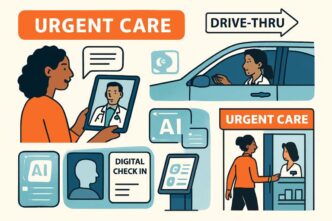

These days, customers want fast answers and support that just works without any hassle. Waiting hours or even days for a response is often no longer acceptable, and support teams face increasing pressure to handle inquiries efficiently without compromising quality. This is where integrating artificial intelligence into your help center can completely transform the way your business provides support.
Optimizing your help center with AI is not about replacing human support agents—it’s about enhancing their capabilities, streamlining workflows, and creating a more responsive and proactive support ecosystem. When done thoughtfully, AI integration allows organizations to offer faster, smarter, and more personalized assistance to every user.
Understanding the Role of AI in Help Centers
A help center serves as the central hub for all support content. Traditionally, it consists of FAQs, knowledge base articles, tutorials, and contact forms for direct support. While effective, traditional help centers often rely heavily on human effort to maintain and update content. Questions can pile up, content can become outdated, and users may struggle to find the right answers quickly.
Artificial intelligence enhances a help center by automating and optimizing many of these tasks. AI tools analyze user behavior, predict common questions, and surface the most relevant content, making it easier for customers to find answers without waiting for human intervention. The result is a more efficient support system that benefits both customers and support teams.
Key Ways AI Optimizes Help Centers
1. Smarter Search Functionality
One of the biggest challenges in traditional help centers is search. Users often type queries in natural language, which may not exactly match the wording in your articles. AI-driven search algorithms can understand intent rather than just keywords, returning highly relevant results even if the exact phrasing isn’t present.
For example, a user typing “How do I change my billing info?” might still be shown an article titled “Updating Your Account Payment Details,” even though the wording is different. This reduces frustration and helps users resolve issues faster, which in turn reduces the volume of support tickets.
2. Automated Content Suggestions
AI can analyze past support tickets, chat transcripts, and user interactions to identify gaps in your help center. It can suggest new articles or updates to existing content based on real-world user needs. This proactive approach ensures that your help center remains relevant and up-to-date without requiring constant manual oversight.
For instance, if multiple users are asking about a new feature, AI can flag this trend and suggest drafting an article that addresses the most common questions. This ensures your support content grows in parallel with your product.
3. Personalized User Experiences
Not all users are the same—some may be new to your product, while others are seasoned users looking for advanced guidance. AI allows help centers to deliver personalized experiences by dynamically recommending content tailored to the user’s profile, past behavior, or current issue.
Personalization can take many forms: highlighting beginner guides for new users, showing advanced tutorials for experienced users, or surfacing location-specific information if relevant. By delivering content that is immediately relevant, AI reduces the time users spend searching for answers.
4. Integrating AI Chatbots
A key component of an AI-optimized help center is the chatbot. Modern AI chatbots can handle a wide range of inquiries, from simple FAQs to more complex troubleshooting steps. They can provide instant responses, escalate to human agents when necessary, and even guide users to relevant knowledge base articles.
Unlike static FAQ lists, AI chatbots interact dynamically, interpreting natural language, learning from previous interactions, and continuously improving the accuracy of their responses. This reduces response time and frees up human agents for tasks that require deeper expertise.
5. Analytics and Continuous Improvement
AI tools can also provide insights into how users interact with your help center. Which articles are most viewed? Where do users get stuck? Which topics generate the most support tickets? This data allows teams to refine content, reorganize sections, and identify areas that need attention.
Regularly analyzing these metrics ensures that your help center evolves with user needs. Over time, the combination of AI insights and human expertise creates a self-sustaining ecosystem where support content continuously improves.
Choosing the Right Tools
There are numerous options when it comes to integrating AI into a help center. From smart search engines to chatbots and content suggestion systems, it’s important to choose tools that align with your business needs and team capabilities.
For example, AI knowledge base tools can automatically generate drafts for new articles based on common support queries, analyze which topics are trending, and suggest updates to outdated content. These tools reduce manual effort and help ensure that your help center always has fresh, relevant information available for users.
Best Practices for AI-Enhanced Help Centers
- Start Small: Begin with one AI feature, such as search optimization or content suggestions, and expand gradually.
- Maintain Human Oversight: AI can enhance your help center, but human review ensures accuracy and prevents misinterpretation.
- Monitor User Feedback: Continuously gather feedback to measure satisfaction and identify areas for improvement.
- Keep Content Updated: AI can suggest edits, but regular content audits maintain quality and relevance.
- Integrate Seamlessly: Ensure AI tools work well with existing support platforms, CRMs, and communication channels.
Final Thoughts
Optimizing your help center with artificial intelligence is about more than adopting the latest technology—it’s about creating a smarter, more responsive support system that grows with your business. By improving search, personalizing experiences, providing automated content suggestions, and leveraging AI-driven chat, organizations can deliver faster, more accurate, and more satisfying customer support.
AI-enhanced help centers empower both customers and support teams: users can find solutions independently, while agents can focus on more complex, high-value interactions. When implemented thoughtfully, AI transforms your help center into a dynamic, intelligent resource that continuously improves over time, ultimately driving efficiency, satisfaction, and long-term customer loyalty.