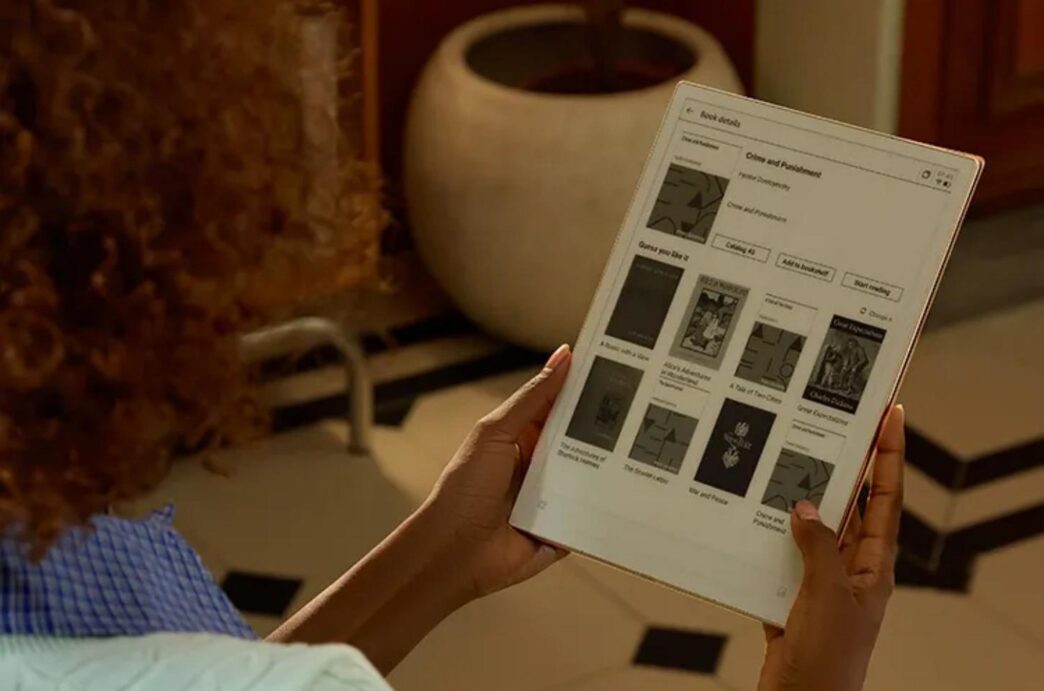
In today’s digital age, paper consumption is still surprisingly high in schools, offices, and homes. Notebooks, planners, printed handouts, and sticky notes often accumulate and are discarded after brief use. E-Ink tablets offer a modern solution that allows users to reduce paper waste while maintaining a natural writing experience. Understanding how these devices work and how they can replace paper entirely can help you make a smart, eco-conscious choice.
Why Going Paperless Is No Longer Optional
As awareness of environmental issues grows, going paperless is becoming more than a convenience—it’s a responsibility. Reducing paper use not only benefits the planet but also saves money and streamlines workflows.
The Environmental Cost of Paper Dependence
Paper production consumes vast amounts of water and energy, and contributes to deforestation and carbon emissions. Every notebook and printed document carries an environmental footprint, even before reaching your desk.
Productivity Limits of Traditional Paper
Paper is static and inefficient. Searching through notebooks, organizing loose sheets, and rewriting drafts takes time. For multilingual users, paper notes often require a separate translator device or app, further fragmenting the workflow.
What Is an E-Ink Tablet and How It Works
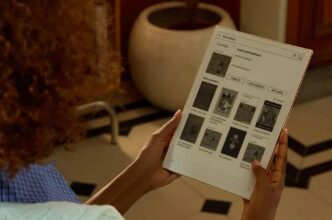
E-Ink tablets are designed to replicate the natural experience of writing on paper while offering digital advantages. They use specialized displays that allow handwriting to appear clearly without causing eye strain.
How E-Ink Technology Mimics Real Paper
E-Ink screens use microcapsules containing black and white particles that move under electrical signals. This creates a paper-like appearance that is easy to read and feels natural to write on.
Why E-Ink Tablets Are Different from LCD Tablets
Unlike LCD tablets, E-Ink tablets consume minimal power and do not emit bright light. This reduces eye fatigue and makes them ideal for long writing sessions.
Writing Experience and Eye Comfort
The pressure-sensitive screen allows varying line thickness, closely simulating a pen or pencil on paper. This combination of tactile feedback and readability makes E-Ink tablets an excellent alternative to traditional notebooks.
How an E-Ink Tablet Can Replace Paper in Daily Life
E-Ink tablets are capable of replacing not just a few pages, but entire notebooks, planners, and printed documents, making them a practical tool for both students and professionals.
Replacing Notebooks, Planners, and Loose Paper
Daily to-do lists, meeting notes, and homework can all be handled digitally. This eliminates the need for dozens of notebooks and loose sheets, which would otherwise pile up.
Digital Storage Instead of Physical Archives
E-Ink tablets allow you to store notes digitally, organize them into folders, and access them instantly. This reduces the need for filing cabinets and paper archives.
Editing, Erasing, and Rewriting Without Waste
Unlike paper, notes on an E-Ink tablet can be erased and rewritten repeatedly. This instant erase function helps prevent waste and makes brainstorming more flexible.
Key Advantages of Using an E-Ink Tablet Instead of Paper
Beyond environmental and financial benefits, E-Ink tablets provide functional advantages that paper cannot match.
Paper-Like Writing Feel
The screen texture and pressure sensitivity give a realistic pen-on-paper experience, ensuring that users do not miss the tactile feedback of traditional notebooks.
No Glare and Reduced Eye Strain
E-Ink displays reflect light rather than emit it, making reading and writing comfortable for long periods without straining the eyes.
Long Battery Life and Low Power Consumption
Most E-Ink tablets can last weeks or months on a single charge, making them energy-efficient and convenient for daily use.
Real-World Scenarios Where Paper Becomes Unnecessary
The benefits of E-Ink tablets are evident in multiple real-life scenarios, helping users reduce paper use significantly.
E-Ink Tablets for Work and Meetings
Professionals can take notes, annotate documents, and manage projects digitally, eliminating printed agendas and handouts.
E-Ink Tablets for Study and Research
Students and researchers can organize notes, solve exercises, and draft essays without consuming paper, making study sessions more sustainable.
E-Ink Tablets for Journaling and Creative Writing
Writers and artists can sketch, journal, or brainstorm ideas freely, erasing and rewriting without generating waste.
Recommended E-Ink Tablet for a Fully Paperless Workflow: iFLYTEK AINOTE 2
When searching for a device that can truly replace paper, the iFLYTEK AINOTE 2 clearly stands out. By combining a paper-like E-Ink display with AI-powered productivity features, it delivers a seamless and genuinely paperless writing experience rather than a simple digital alternative.
Why iFLYTEK AINOTE 2 Is Designed to Replace Paper Completely
Unlike basic writing tablets, the AINOTE 2 allows users to write, organize, and store notes digitally in one continuous workflow. Its advanced E-Ink screen closely replicates the look and feel of real paper, making long writing and reading sessions comfortable and reducing the need for traditional notebooks almost entirely.
AI Handwriting Recognition and Smart Note Organization
The AINOTE 2 accurately recognizes handwritten text, converts it into editable digital content, and automatically organizes notes into searchable folders. This eliminates paper clutter and ensures that important information is always easy to retrieve.
In addition, real-time voice-to-text transcription captures meetings, lectures, and discussions as they happen. This removes the need for printed agendas, handouts, or manually written minutes, further supporting a fully digital workflow.
For students, professionals, researchers, and heavy note-takers, the AINOTE 2 offers a practical path to a completely paperless lifestyle. By reducing ongoing paper use, lowering long-term costs, and improving productivity, it proves that digital note-taking can finally replace paper—without compromise.
E-Ink Tablet vs Paper and Other Digital Devices
While paper is familiar, E-Ink tablets offer clear advantages. Compared to iPads or standard tablets, E-Ink devices are easier on the eyes, more energy-efficient, and better for long-form writing.
E-Ink Tablet vs Paper Notebooks
E-Ink tablets can store thousands of pages digitally, eliminating the need for bulky notebooks and repeated printing.
E-Ink Tablet vs iPad or Traditional Tablets
Unlike tablets with LCD screens, E-Ink tablets provide a distraction-free, paper-like environment, ideal for focused writing or study.
E-Ink Tablet vs Basic Writing Tablets
Advanced E-Ink tablets, such as the AINOTE 2, combine paper replacement with smart features like AI recognition, making them far more powerful than simple reusable LCD pads.
How to Choose the Right E-Ink Tablet
Selecting the best E-Ink tablet depends on your needs, budget, and usage habits.
Screen Size and Display Quality
Larger screens are better for note-taking and drawing, while smaller models are portable and convenient.
Writing Accuracy and Stylus Performance
A responsive stylus ensures a natural writing experience without lag or skipping.
Battery Life and Storage Capabilities
Long battery life reduces downtime, while sufficient digital storage ensures all notes are saved and organized.
Software Features That Support Paperless Use
Look for features like cloud sync, AI handwriting recognition, and file organization for a truly paperless workflow.
Can an E-Ink Tablet Truly Replace Paper for Everyone?
While E-Ink tablets can replace most paper use, some specialized situations may still require physical documents, such as official forms or printing for signatures. However, for daily note-taking, study, meetings, and creative work, E-Ink tablets are highly effective.
Who Can Go Fully Paperless
Professionals, students, and writers who primarily need note-taking and documentation can rely almost entirely on an E-Ink tablet.
Who May Still Need Paper Occasionally
Users handling legal paperwork, signed contracts, or certain art forms may still need occasional paper usage.
Final Thoughts
E-Ink tablets provide a realistic, efficient, and environmentally responsible alternative to paper. With devices like the iFLYTEK AINOTE 2, users can save money, reduce waste, and enhance productivity. By replacing notebooks, planners, and printed documents, you take a meaningful step toward a sustainable, paperless lifestyle without sacrificing the tactile satisfaction of writing by hand.